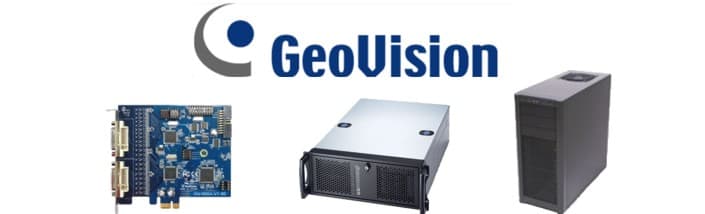
Geovision DVR Card Support CCTV Camera Pros strives to provide the best Geovision support in the industry. We recognize that manufacturers do not always do the best job at explaining in clear detail how to setup and use their products, which is why we provide our own online documentation along with the manufacturers manuals. We hope that you find our Geovision DVR card support pages helpful in building your Geovision surveillance systems.
bookmark this page for future reference
Geovision WebCam Server Setup - Setup instructions for the Geovision webcam server and how to connect from a web browser (Internet Explorer). This is the method of remote Internet access that CCTV Camera Pros recommends.
Geovision Remote Internet Viewing - Options for accessing security cameras remotely over the Internet using a Geovision DVR.
Geovision Remote Viewer - Setup instructions for the Geovision remote viewer system. This system allows a remote computer to connect to and watch live surveillance video over an Internet or network connection.
Geovision Center-V2 Setup - Setup instructions for center v2 which allows an operator to monitor multiple geovision systems remotely over the Internet or over a local network (LAN).
Geovision Account User Setup - Setup instructions to enable additional users to access Geovision remotely using their own account user ID and password.
Motion Detection Recording - Instructions on how to setup Geovision surveillance systems to record only when there is motion detected. Configuring part of the day to record on motion and other parts to record continuous is also covered.
Geovision supports controlling PTZ cameras directly from its user interface. You must add a RS-485 communication module to Geovision in order to enable PTZ controls. There are two options available to enable RS-485 communication between a Geovision surveillance system and a PTZ security camera. They are the GV-COM and GV-NET devices. Either of these devices can be setup to control our PTZ-92E001 security camera using Geovision. Other PTZ cameras such as Pelco are compatible with Geovision as well.
Geovision WebCam Server PTZ controls Setup - after you have setup the GV-COM or GV-NET card properly, you can control your PTZ camera remotely over the Internet using the Geovision Webcam Server.
Geovision PTZ Preset Location Setup - Geovision allows you to define up to 16 preset locations per PTZ camera. This allows you to quickly move the view of the camera to pre-defined locations with the push of a button.
Geovision Audio Surveillance Setup - Instructions on setting up a Geovision DVR to record and broadcast surveillance audio using a microphone.
Geovision Audio Surveillance Playback - Instructions on enabling audio for playback using the Geovision video log viewer.
Geovision Remote Internet Audio - Instruction to enable live surveillance audio to hear remotely of the Internet using the Geovision Webcam server.
Geovision Auto Startup - Instructions on setting up Geovision software to automatically start when your Windows PC boots or reboots.
Geovision Email Alert Setup - Instruction on setting up email alerts when a motion detection event occurs
Geovision Video Backup - Instructions on backing up surveillance video footage to CD or DVD.
Geovision Video Backup by Time Frame - Instructions on how to backup specific video segments by time frame and camera.
Geovision systems can be integrated with point of sales systems and cash registers. Click here to learn how you can test if your POS system is compatible with Geovision.
If you forgot your Geovision password and you specified the Allow Password removal option when you installed Geovision, run the following application: PassUnInstall.exe which can be found in your Geovision installation directory (typically something like C:\GV1240 C:\GV800 for example).
Geovision Compatible Modem List - List of modems that are compatible with the Geovision hotline calling / alert feature.
Can't Find KeyPro Error
Upgrade to the latest version of Geovision software here.
Geovision Manuals and Setup Guides - Online PDF format geovision 8 documentation that you can view online or download and save to your computer.
Choosing the Right Geovision DVR Card - Information that you should consider when purchasing a Geovision DVR Card, Security Camera Kit, or System.
Geovision System Requirements and Card Specifications - This document describes the minimum hardware requirements for each Geovision card as well as the specification for each model card.
Geovision Troubleshooting Guide - Covers some common error messages and how to fix them.
Geovision System Diagram - This diagram shows many options that you have with a Geovision DVR System.
Geovision FAQ - Frequently Asked Questions about Geovision DVR cards.
Geovision Software - Software download and upgrade.
bookmark this page for future reference
|