Please Note: The Zavio F7210 is no longer manufactured, please refer to the Zavio Box Camera page for a replacement. You can find all of the latest Zavio IP cameras that CCTV Camera Pros supplies here.
The Zavio F7210 is a
1080p HD surveillance camera (2 megapixel camera) that is capable of a 1920 x 1080 resolution (Sample Video). The Zavio B7210 is a box style IP camera designed for indoor video surveillance applications and also can be used outdoors when enclosed in an optional outdoor housing. An optional wireless USB dongle can also be added which enables the camera to support 802.11 b/g/n wireless connectivity. The IR cut filter provides excellent day/night performance and also allows the camera to be used with external infrared illuminators. The 3-8mm varifocal lens allows the view-able angle of the camera to be adjusted from 42 to 105 degrees horizontal angle of view.
The F7210 can be mounted to a ceiling, wall, or desktop using the
included mounting bracket.
This HD surveillance camera also supports local recording using the built in Micro SD card slot. A SD card must be purchased separately and is not included.
Like all Zavio IP Cameras, the F7210
includes 64 channel recording software to give the user the features of a network video recorder.
Zavio F7210 HD Camera Features:
- 1/2.7” progressive scan CMOS 2 megapixel sensor
- Megapixel HD Resolution - 1080p (1920 x 1080)
- H.264, Motion JPEG, MPEG-4 and 3GPP video streams
- Day/night functionality with mechanical IR-cut filter
- 3 - 8mm, F1.2 megapixel varifocal lens
- Variable 42° ~ 105° horizontal field of view
- Wireless 802.11 b/g/n support using optional WIFI dongle
- Enhances High Contrast Bright & Dark with WDR
- iPhone & iPad Compatible
- Free iCamViewer App
- Remote View from Mac Computers
- Remote View from Windows Computers
- Analog video output through RCA connector
- MicroSD/ SDHC card local storage
- Can be used outdoors with optional weatherproof housing
- Power over Ethernet (IEEE 802.3af)
- SSL v3 advanced HTTPS encryption
- Supports Samba network storage
- 3GPP mobile surveillance
- Supports ONVIF
- 64 Channel NVR Software Included
- Indoor Mounting Bracket Included
- 12V DC Power Supply Included
-
NVR Software / IP Camera Recording Software Included!
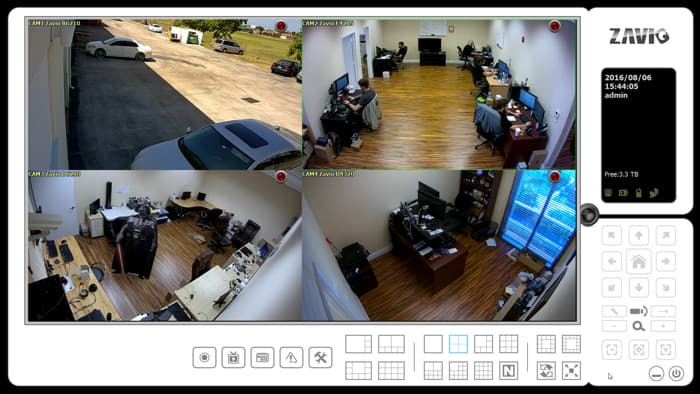
All Zavio IP cameras include NVR / IP camera recording software that supports up to 64 cameras for live viewing, recording, and playback. Some of the features included in the software are: 64 camera remote channel live view, 16 channel playback simultaneously, motion detection & scheduled recording, supports H.264/ MPEG-4/ MJPEG compression formats, multiple user access levels with password protection, iPhone, iPad, and Android mobile apps, and powerful recording search functions. This NVR software runs on Windows PCs.
You can learn more about the included Zavio NVR software here.
Remote Live Viewer App
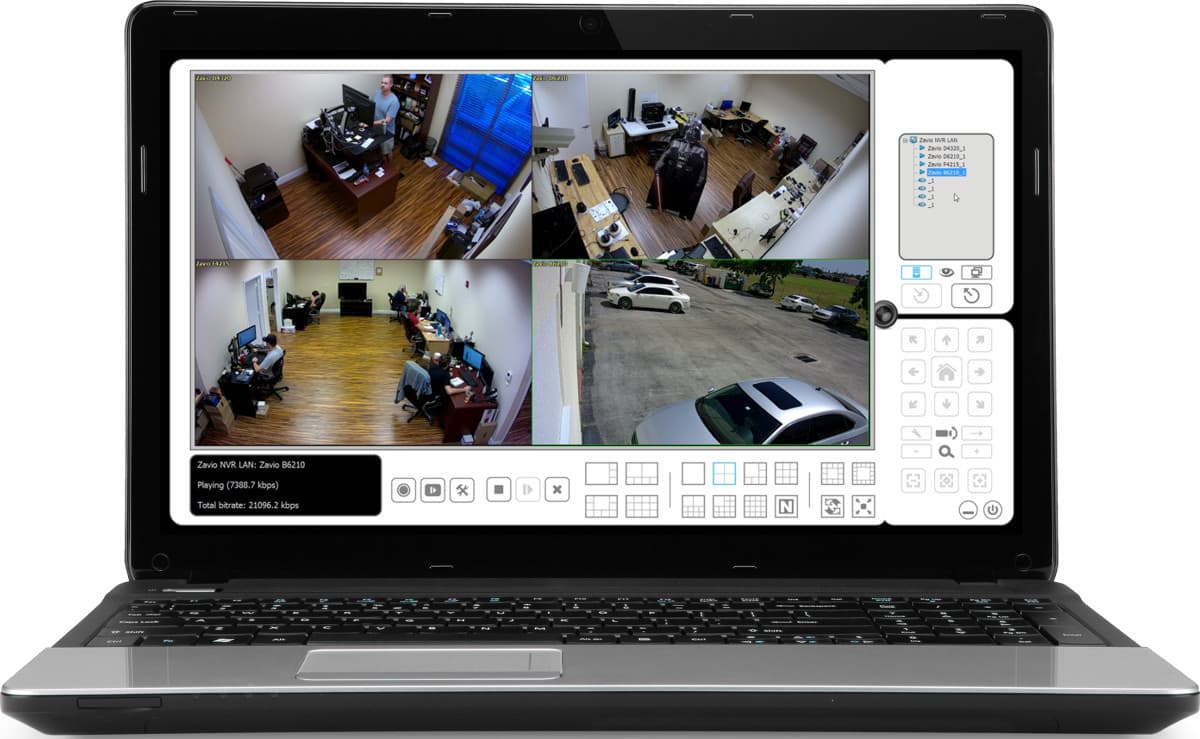
The Zavio software also includes the Remote Live Viewer app for Windows. This software connects to Zavio stand-alone NVRs and PC based NVRs (built with the free Zavio software). It enables live remote viewing of all IP cameras connected to your NVR(s). The software also includes the Remote Playback app which lets users search and playback surveillance video that has been recorded to the NVR's hard drive.
You can learn more about the Remote Live Viewer software here.
Mac Compatible IP Camera
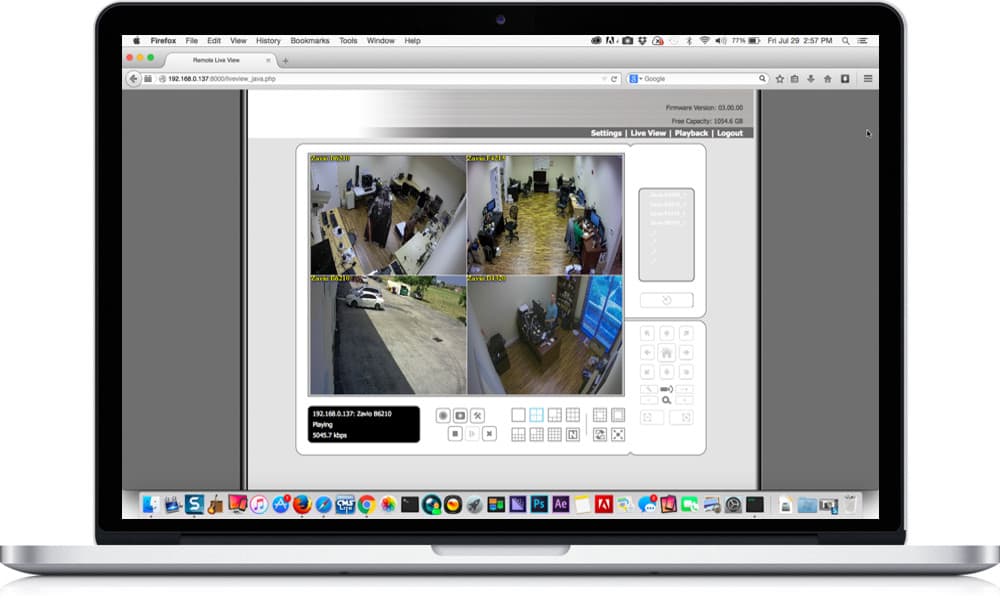
Zavio IP cameras support live remote viewing over the Internet from a Mac computer. Macintosh users can directly access Zavio IP cameras using Safari, Chrome, and Firefox web browsers. For users that setup the Zavio NVR software on a Windows PC or use a stand-alone Zavio network video recorder, Mac users can also remotely access these NVRs to view all of the IP cameras, playback recorded video, and configure their NVR from Macintosh.
Learn more about remotely viewing IP cameras from Mac here.
Please note that Zavio camera DO NOT include video recording software for Mac. It is highly recommended that Mac users read our Zavio IP camera FAQ for Mac.
This video demonstrates live security camera viewing capability from the iPhone app that connects to the NVR software included with Zavio cameras.
You can learn more about the iPhone IP camera viewer app here.
Important Note:
Click the gear icon in the lower right of the video player and select 720p or 1080p resolution so that you can view the video in the highest resolution available.
Android App
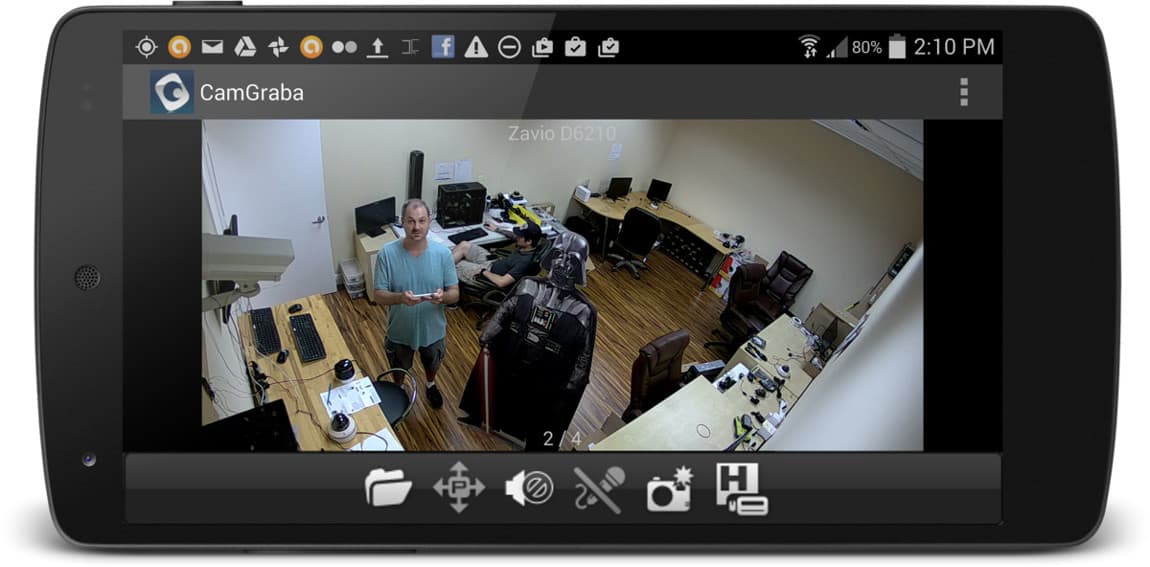
Here is a screenshot of the Android app the connects to the NVR software included with Zavio IP cameras and enables remote live viewing and recorded video playback.
You can learn more about the Android IP camera viewer app here.
Complete IP Camera Systems
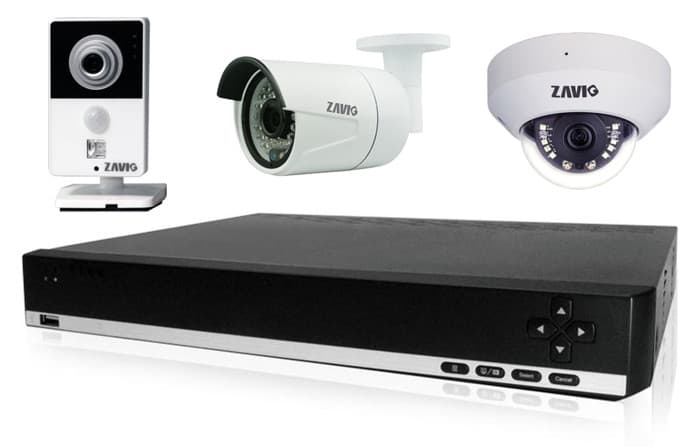
Did you know? CCTV Camera Pros can provide a complete IP camera system quote that includes any
Zavio IP cameras, a Zavio NVR or a custom PC based NVR build using the 64 channel IP camera software included with this camera. We can also include any number and model of cameras, CAT-5 cables, PoE switches, and monitors. Let us customize a system based on your project requirements.

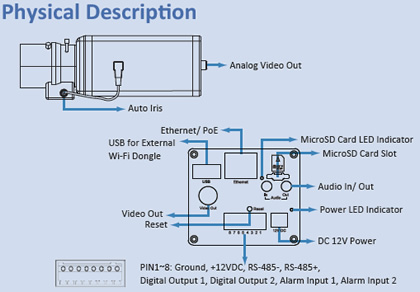
The mounting bracket included in the box with the Zavio F7210 can be attached to the top or bottom of the camera to accommodate virtually any type of ceiling, wall, or desktop mount.
Optional Wireless USB Adapter
PoE for IP Camera
This IP camera is PoE (power over Ethernet) compliant which allows the installer to run a single CAT-5e cable to provide both power and data connectivity to the camera. CCTV Camera Pros supplies the following PoE injectors and PoE network switches which are compatible with this camera.
Please refer to these diagrams, to learn more about
how to wire IP cameras using a PoE injectors or a PoE switch.













