This audio surveillance microphone can be added to any security camera DVR with analog audio input (RCA or BNC). CCTV Camera Pros highly recommends Viewtron DVR hybrids. This CCTV microphone is typically used as an add-on to CCTV cameras and other types of security cameras that do not have built-in audio surveillance microphone.
This microphone is stand alone as it does not rely on the power source from a security camera. Plug and play cables can be used with these microphones to easily
run both the audio and power centrally back to the DVR. Installation of this microphone is very simple for a DIY installer to perform.
The Mic comes with its own
12V DC power supply and can be used with CCTV Camera Pros Viewtron security DVRs or any other brand DVR that has analog audio inputs. It supports a frequency range of 100Hz ~ 10kHz. The sensitivity is -62dB +/- 3dB.
Because the microphone has a female RCA input and most DVRs have RCA inputs for the microphone inputs, we include two BNC to RCA converters for each end of the plug and play cable.
Order the cable with this microphone and the converters are included. See the below audio surveillance connection diagram for more information.

The above wiring diagram shows how to install the MIC-CCTV-02 with an
AHD-BL5H HD CCTV camera. The camera and the mic are both wired to a Viewtron hybrid CCTV DVR for recording. Although we are using an HD security camera in the diagram, this mic can be used with any type of security camera, including analog CCTV, AHD, HD-SDI, HD-TVI, HD-CVI, and network IP cameras because this is a stand-alone mic.
Please note that because the microphone uses its own power cable and coax cable, the mic does not actually need to be installed at the exact same location as the security camera that it will be paired with on the DVR. The orange cable is the RG59 coaxial cable that is used to run the audio output of the mic to the audio input of the DVR. The orange coax cable connects the camera's video output to the video input of the DVR. The DVR allows the user to associate the audio from the microphone with any camera channel on the DVR. In fact, the DVR does not even know if the mic is installed near the camera or not.
The red cable notes the power cable that is run from the microphone and camera to a
12V DC power supply box. Because the camera also uses 12V DC power, the CCTV camera and the audio surveillance mic can share the same power supply box. Alternatively, the camera and mic could use the individual DC power transformers that are included with them.
The MIC-CCTV-02 can be wired to a DVR using
premade Siamese cable (power and coax) or a spool of RG59 Siamese cable.
Wiring with Individual Power Supply
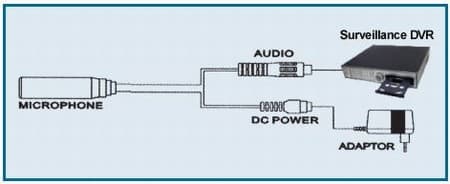
This diagram shows how to wire the microphone using the individual 12V DC power supply included with it.
Security Camera with Audio Microphone Installation

The above installation diagram shows how pre-made audio, video, power cables cables can be used to install an
HD security camera with a the MIC-CCTV-02 microphone. These pre-made cables are a convenient installation method for professional and DIY installers
 Please take a look at our audio surveillance microphone installation guide to see additional examples of how to wire this microphone - with and without security cameras.
The following video shows demonstrates how to connect the CCTV-02 surveillance microphone using a pre-made Siamese coaxial cable.
The CCTV-02 audio surveillance microphone from CCTV Camera Pros can be used as an add-on mic for any security camera.
On our test bench we have a 25 foot premade siamese coax cable which is typically used for CCTV cameras, a 300ma DC power transformer, two BNC to RCA converters, and the CCTV-02 microphone.
First, I connect one of the BNC to RCA converters to the plug and play cable which allows me to connect to the RCA out of the microphone. I also connect the power input of the Mic to our premade cable.
On the other end of the cable, I connect the power portion of the cable to the DC power supply that is included with the Mic.
Depending on the audio input type of your DVR, you can use the native BNC connection of the cable or use the other converter is your DVR uses RCA input for audio.
Because the CCTV-02 mic uses its own cable and power supply, it is able to work as a stand alone surveillance microphone or it gives installers the flexibility to use in conjunction with a camera but not neccessarily have to mount the mic near the camera.
CCTV Camera Pros has carried this Microphone for several years and has found the quality of it to be high. Our customers have this microphone very useful for indoor surveillance applications and outdoor applications where the mic is not directly exposed to rain.
For addition information and pricing, please visit
www.cctvcamerapros.com/Audio-Surveillance-Microphone-p/mic-cctv-02.htm.
Thank You for watching.
Installation with CCTV Camera

Here is an example of the MIC-CCTV-02 installed with a
box CCTV camera. For this system, the installer used zip ties to mount the mic to the mount of the camera. However, because these microphones are stand-alone (they use their own audio and power cable), they could be mounted anywhere in the room - not necessarily close to the camera. This was done for Kaplan University to monitor medical student training rooms. You can read more about this project here.
Remote Audio Surveillance from iPhone App
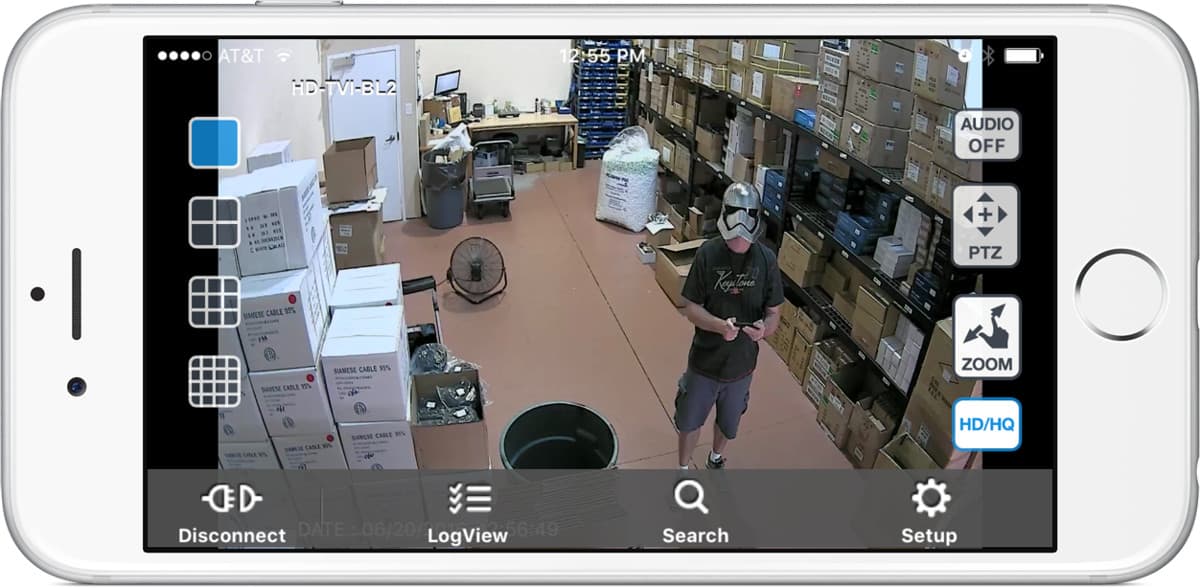
This mic can be used to listen to live audio surveillance from iPhone. You can learn more about the iPhone app for Viewtron DVRs here.
Remote Audio Surveillance from Android App
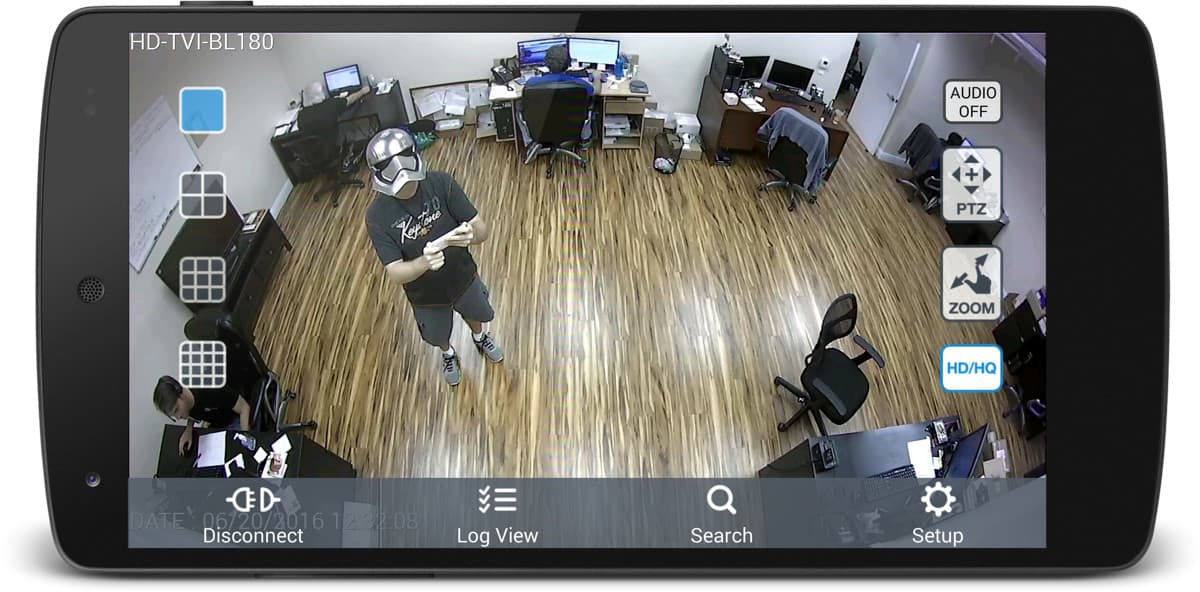
This mic can be used to listen to live audio surveillance from the Android app. The Viewtron App for Android also supports playback of recorded audio.











 Multiple microphones set up