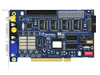
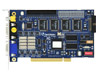
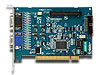
Geovision Surveillance DVR Computers
Our GeoVision surveillance DVRs and Windows-based computers that come pre-built with a GeoVision card. Each GeoVision DVR is professionally installed and tested before being shipped.
Important Product Update / Discontinued
GeoVision has discontinued DVR capture cards, so it is no longer possible to build GeoVision PC based recorders with BNC video inputs. Please see the below information and refer to our
Viewtron security camera DVR page. We highly recommend these as a replacement. Another option may be to use GeoVision video servers instead of capture cards. Please email us if you would like to setup a free phone consultation to discuss any of this further.
Recommended Replacement - Viewtron DVR Demo
Most of our customers are migrating to
Viewtron hybrid security camera DVRs.
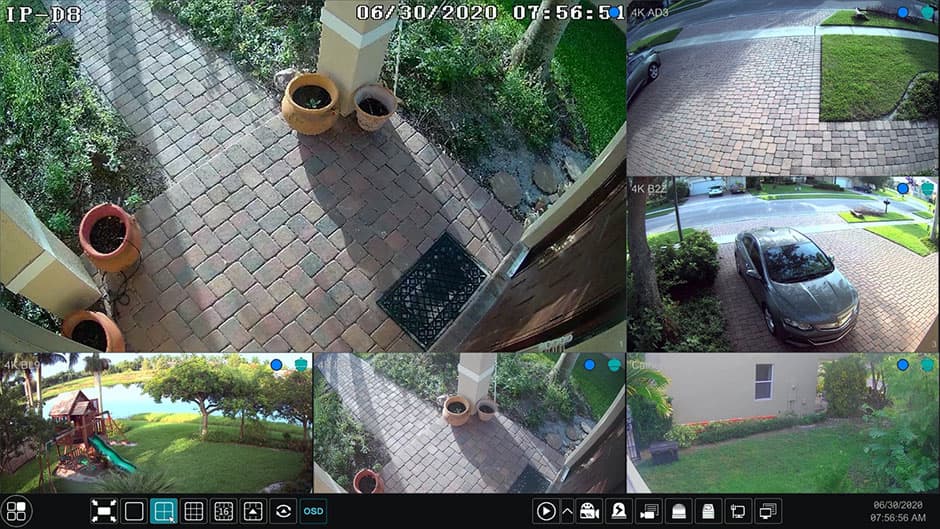
Watch this video to see how easy it is to watch live video and playback recorded video surveillance footage on a
Viewtron hybrid 4K DVR.
Viewtron Remote Viewing Apps & Software Included
Viewtron DVRs and NVRs include mobile apps for iPhone and Android. Desktop software for Mac and Windows is also included for free. You can view your security cameras live and playback recorded video on your DVR from all of these platforms - remotely over the Internet. There are no monthly fees.
We build GeoVision DVRs in 4, 8 and 16 camera systems configurations. Each system has hard-drive and GeoVision card upgrades available. These systems are perfect for home, government, and business owners that do not want to be bothered with installing the GeoVision hardware and software onto a computer. Leave the technical stuff to the Pros, we guarantee these systems because they are built with hardware that meets or exceeds GeoVision standards. They are then tested and certified by a build engineer before we ship them.
Please
download our custom GeoVision PC based DVR build information sheet to learn more.
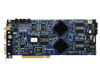
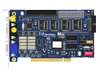
If you prefer to build your own surveillance DVR from your own computer, we also sell GeoVision DVR Cards separately. Click to view our large selection ofGeoVision Cards on this page. If you are looking for a complete system with GeoVision that you need, including security cameras, check out our Complete Geovision DVR Systems here. Click here to learn more: GeoVision System Information.
|
|
|
Geovision surveillance systems are a PC based DVR system designed to process video, audio, and data from a local and remote network / Internet surveillance environment. Geovision utilizes the most advanced software and hardware digital video compression and processing technologies to generate the best possible video quality most efficiently. Our systems are custom built with the DVR card of your choice ranging from the entry level GV-600 card to the flagship GV-1480 card. Up to 16 cameras can be connected and viewed live on a local monitor screen, on a local area network (LAN), or remotely over the Internet.
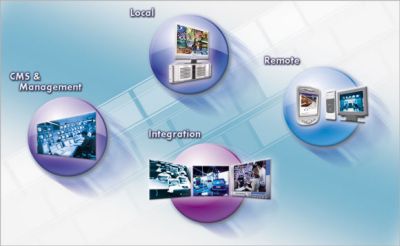
Surveillance video can be recorded based on specific schedules, 24/7 around the clock, or based on motion detection recording. The video is stored on the local hard drive of the computer and can also be stored on an optical storage device by using Geovision Backup System. As of Geovision version 8.2, Geovision now also provides a hybrid solution allowing both IP security cameras an analog CCTV Cameras to be connected to one system. The strong networking capability enables video and audio data to be transferred over the Internet via the WebCam server for viewing on a remote computer, 3G mobile phones, PDA or Geovision remote monitoring applications such a the center V2.
Geovision PC based systems can be built as hybrid surveillance systems which can connect to analog CCTV cameras using BNC connectors and coaxial cable as well as network IP cameras using cat-5 cables with RJ-45 ethernet connectors. Mixing CCTV cameras with IP cameras on the same security camera DVR is known as a hybrid surveillance systems. Geovision 1000 series DVR cards (GV-1120, GV-1240, GV-1480) allows you to allocate up to 8 channels on the 16 channel cards to be used for Geovision IP cameras. In order to use 3rd party IP cameras (cameras not made by Geovision), you must purchase
Geovision 3rd party IP camera software licenses. Geovision hybrid surveillance DVRs can be expanded over time up to 32 channels total. If you would like a quote on a custom surveillance DVR, please contact CCTV Camera Pros at 888-849-2288.
Intelligent Recording & Playback
- Privacy Mask Protection
- Advanced Motion Detection
- Scene Change Detection
- Pre-Recording Using HDD
- Advanced Round-The-Clock Recording
- Instant Playback
- Time Merge From Different Clips
- POS Point of Sale Integration
Flexible Record Configurations
- Choice of recording at 15, 30, 60, 120, 240 and 480 fps
- Recording trigger by round-the-clock, motion detection, alarm, and schedule
- Adjustable recording quality and frame rate for each camera
- Pre-motion and post-motion recording
|
Remote Surveillance - DVR Viewer
- Live Video & Audio via IE Browser
- Remote Search & Playback Support
- 3G Mobile Phone Support (3GPP)
- SSL Encrypt Connection Support
- Monitor Multiple Systems with Center V2
- UPnP Support
Notifications & Alerts
- E-mail notification with attached video images on motion detection and alarm
- E-mail notification on video lost or I/O error
- Directs PTZ dome to a preset location on motion and alarm activation
- SMS alerts available in Main System, Center V2, and Vital Sign Monitor
- Alarms on objects that pass between predefined regions
|
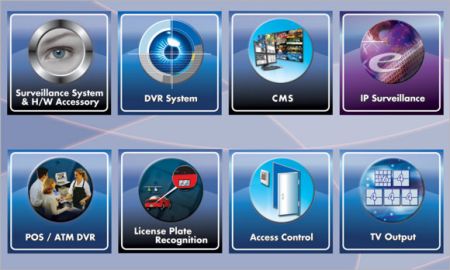
Major Features
Advanced Motion Detection: Advanced Motion Detection recording allows multiple sensitivity levels to be set up within multiple regions. It is suitable for large-scale security monitoring and recording.
Timeline Search: Timeline search enables users to locate a specific video recorded on a time frame via an easy-to-browse graphical tool. Timelines can display minutes and seconds, search and playback videos.
Password Expiration Management: Password expiration management provides better security practices in a surveillance system. System administrators can set expiration or disable a user's account. Features also include password edit, account edit and more.
WebCam Server / DVR viewer: Geovision WebCam server allows you to access live video remotely over a network or the Internet. Single camera views can be directly viewed in Internet Explorer. Multiview will automatically launch the multi-view application for up to 16 cameras.
Center V2 Central Monitoring Software: Monitor up to 5 systems with the software that comes with Geovision or purchase the professional version to monitor up to 500 systems.
Email Alerts: Send alerts to an email address when a motion detected event occurs.
Mobile Surveillance Apps: Free mobile app downloads for iPhone, iPad, and Android. The below diagram illustrates the endless possibilities that you will have with your Geovision surveillance system. If you have any questions about the Geovision systems that we build, please call us at 888-849-2288. 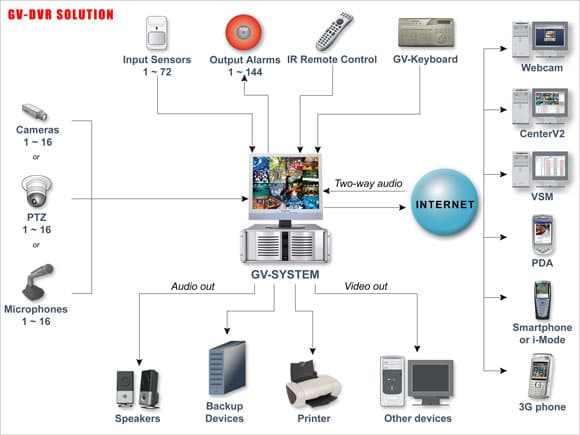
PC Based DVR Specifications
These are the standard PC builds that we use for the different PC based DVRs that CCTV Camera Pros build. All PCs meet or exceed the manufacturer requirements for the surveillance DVR cards that they are designed for.
Standard PC Build Spec
- Dual-Core Intel® Core i3
- 4GB DDR4 2133 Ram
- 120GB SSD Drive for Operating system
- Windows 10 Home
- 1 Terabyte Surveillance Grade Hard
Drive for Video Storage
- 24x DVD+R SATA drive
- 750w 80 plus bronze certified power supply
- Radeon HD 2GB DDR3 video card
with VGA, HDMI and DVI output
- 4 - PCI Slots
- 3 - PCI Express 3.0/2.0 x16
- 1 - PCI Express x1
- Gigabit Ethernet
- Onboard Realtek ALC887 Audio
- Professional Desktop Tower Case
- Wired Mouse and Keyboard Included
|
Optional PC Upgrades
- Quad-Core Intel® Core i5
- Quad-Core Intel® Core i7
- Upgrade to 8GB, 16GB, or 32GB of ram
- Upgrade to dual video cards
- Add-on raid controller (to support more than 4 storage HDDs)
- HDD upgrades up to 30 TB for a desktop case
- HDD upgrades up to 48 TB for a 4U rackmount case
- 4U Rackmount Case
- Windows 10 Pro
|
GeoVision DVR Card Specs
Network PTZ Camera
|
CCTV Video Multiplexer
|
Professional Video Recorder
|
|
|
|
|
|
|
|
|