The SYS-CV3 CCTV camera to TV for live view kit includes everything you need to connect this dome camera to your TV for live video display without using a DVR. This real-time live viewing camera kit includes one of our best selling
1080p Dome CCTV cameras, one
BNC to HDMI video converter box, one 100 foot pre-made Siamese security camera cable, and one 5 foot HDMI cable. You also get the power supplies for the camera and converter box.
Customers supply their own HDMI TV. Any high def TV with an HDMI video input and that supports 1080p@60hz resolution will work (almost all modern HDMI TVs do). This is the perfect plug and play system for customers that want to connect a single camera to their TV for a live view.
The
HD-Q3 dome security camera that is included is IP67 weatherproof so that you can install it indoors or outdoors, even in harsh weather environments. This camera is designed to operate well in all weather conditions, including rain and snow. It also works great indoors at home, business, and government locations. It has built-in IR night vision in case you need to view in the dark.
How-to Connect CCTV Camera to TV for Live View
Watch this video to learn how-to use this kit to connect the camera to a TV without a DVR. You can also refer to the below installation diagram and instructions. Please note that the video demo uses this
live TV view camera kit that includes a bullet style camera, but everything works the same. The only difference is the bullet style camera instead of the dome CCTV camera included with this system.
How-to Connect CCTV Camera to TV without a DVR

Here is how-to connect the camera to a TV for live view without using a DVR.
- The coax portion of the pre-made Siamese camera cable (blue line above) connects the BNC video output of the camera to the BNC video input of the BNC to HDMI converter.
- The power cable built into the Siamese cable (red line from the camera) is connected to the power adapter that is included with the camera and plugs into a standard wall power outlet near your TV.
- The HDMI converter also includes a power supply that will connect to the power outlet near your TV.
- The HDMI cable that is included with the system connects the HDMI output of the converter with the HDMI video input of your TV monitor.
That is all! Plug and play easy setup with no manual configuration. Everything is just detected and the live view of your camera just works.
DVR Recording Option (DVR is Optional)

The above diagram shows the SYS-CV3 system installation with the BNC loop output connected to a DVR for video surveillance recording. The setup is the same as using the kit without a DVR, except BNC jumper cable connected to video loop output of the HDVC-3-T to one of the BNC video inputs on a
Viewtron CCTV DVR. Important Note: Using the loop output and DVR is optional. An example of how this is typically used can be seen below in a retail spot monitor installation.
Live Security Video Monitor at Retail Store Entrance
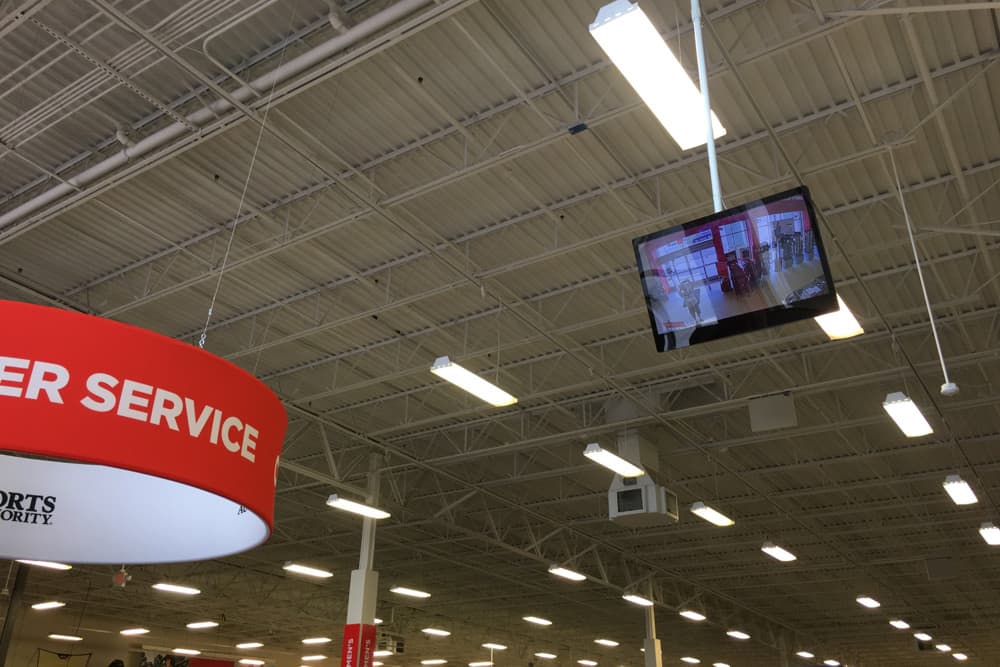
Here is an example of a live TV system display used at a retail store. This type of installation is very typically used by retail store chains. It creates a theft deterrence and helps customers feel safe knowing that the store uses security cameras. This live view monitor is placed at the entrance and the loop output of the HDMI converter sends a second video signal to the back of the door where the security DVR is located and records all of the video surveillance footage.
How-to Connect CCTV Camera to Multiple TVs with no DVR

You can also use the BNC loop output of the HDCV-3-T to connect one security camera to multiple TV monitors. This is how it works. Use one of these
RG59 jumper cables to connect the BNC video loop output of the first BNC to HDMI converter to the BNC video input of a second HDMI converter. You can connect the BNC loop output of the second converter to a third if you like. You can daisy-chain as many BNC video converters as you need so that you can display a single security camera live on multiple TV monitors at the same time.
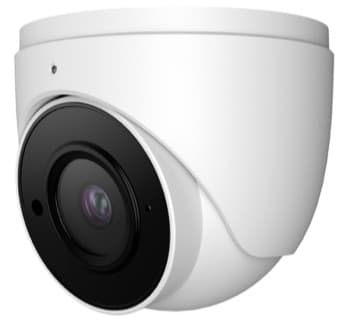
This is the Viewtron HD-Q3 dome security camera that is included with this kit. These are the main features of this camera:
You can
watch a video demo of the Viewtron HD-Q3 here. You can visit the Viewtron HD-Q3 product page here.
Watch this video to see the day time and night time IR night vision video quality of the Viewtron HD-Q3 dome security camera included with this live TV view kit.
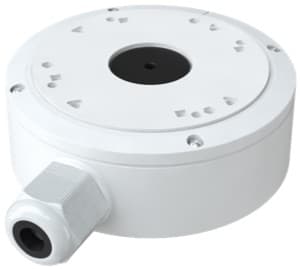
The
VT-J301 security camera junction box is the optional installation mount for this camera. There is a bottom and side cable inlet and the cable leads from your camera can neatly be concealed inside this weatherproof enclosure. When the bottom inlet is used, the inlet plug can be moved to the size inlet. This junction box can be used for ceiling or wall mount installations. Watch this video to learn why Mike recommends using the junction box for outdoor camera installations.
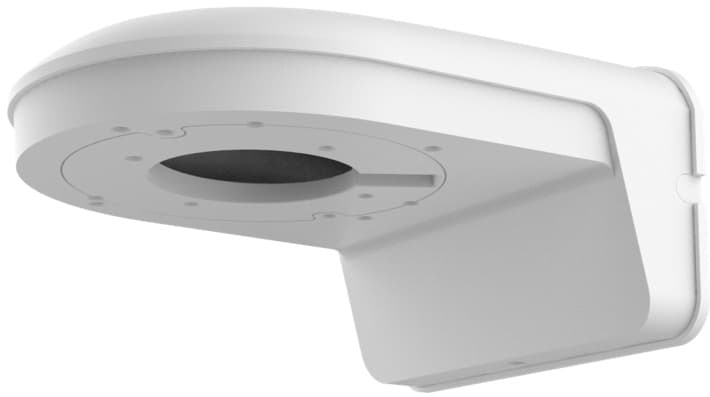
This is the optional
VT-L203 dome L-Bracket mount that can be used to install the HD-Q3 dome camera to a wall. The product code is VT-L203 and it can be added via the dropdown options when ordering this product.
Watch this video to see how easy installation is with the camera's turret-style / eyeball style mount. Simply loosen the set screw at the base of the camera to point the camera lens in any direction. When you are done adjusting the angle, tighten the set screw. The camera is very sturdy and the set position will not move. The Allen wrench is included.
Articles & Products
Here are some products and articles that you may be interested in.

This camera to TV live view system is NDAA compliant. That means that it's parts are not manufactured by any of the manufacturers on the NDAA (the National Defense Authorization Act) list of banned manufacturers.

CCTV Camera Pros is proud to have an
A+ rating at the Better Business Bureau and an average of 5 star reviews at Reseller Ratings. We were able to achieve this through the outstanding technical support and customer service that our team provides to our customers.

CCTV Camera Pros is proud to be a US Veteran Owned small business. Our co-founder, Mike Haldas, served in the United States Marine Corps 1993-1997.















