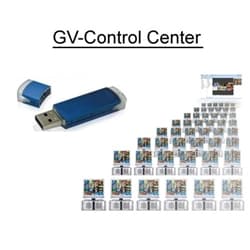
 Geovision GV-Control Center
The Geovision GV-Control Center allows an operator to control multiple systems:
- Remote DVR Configuration
- Remote access to local DVR desktop
- Remotely monitor, record and playback from 384 cameras
- Playback of recorded videos from local GV-Systems
- Group, manage and remotely configure I/O devices
 Add To Cart
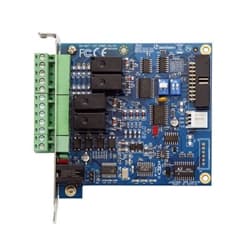 Geovision GV-NET IO Card, PTZ Controller, RS-485
The Geovision GV-IO USB Box provides 4 inputs and 4 relay outputs for integration with Geovision surveillance systems. This input / output box allows you to integrate a Geovision security camera system with IO devices such as alarm system contacts, sirens, motion sensors, etc. Installers can so things such as program the Geovision system to trigger an alert when an infrared tripwire is triggered or when an alarm dry contact is opened. The output can be configured to trigger a burglar alarm siren. The Geovision GV-IO supports both DC and AC output voltages and provides a USB port to connect the device to a Geovision surveillance DVR.
Add To Cart
 Geovision PTZ Joystick
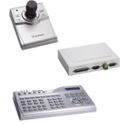
The Geovision PTZ joystick (GV-Joystick) provides full control of the PTZ devices connected to Geovision surveillance systems. The joystick facilitates functions such as tilt, pan, or zoom to achieve precision surveillance. The GV-joystick can be combined with the GV-Keyboard to empower your surveillance system operations from a central command center. Click here for Geovision PTZ Joystick Manual.
Add To Cart
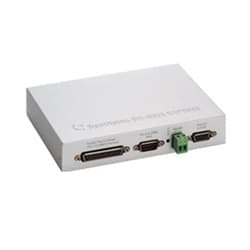 Geovision GV-Data Capture, Point of Sale Surveillance System, Register
The Geovision GV-Data box enables point of sale surveillance (cash register). The GV-Data-Capture point of sale system features: - Point of Sale live view using Web Cam
- POS text overlay on the video
- Advanced transactional based video search
- Cash register drawer input setting
- User-defined alerts such as transaction dollar amount size
- Many connection methods: DB9, DB25, RS-485, Ethernet
- Ethernet Connection
- Please Note: The Geovision GV-Data Capture V3E is only compatible with Geovision PC based DVR/NVRs.
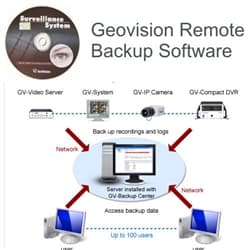 Geovision GV-Backup Center Software, Remote Surveillance Video Backup
The Geovision GV-Backup Center features: - Remote video surveillance backup software
- Supports up to 200 units (DVRs, NVRs, IP Cameras)
- Up to 10 backup rules for working and non-working days independently
- Support for backing up GV-System recordings according to event types (all types, motion or I/O trigger)
- E-Mail alerts for low disk space, disconnection and file transfer failure
- Online data analysis by Event Count, File Size and Time
- Fail-over support (GV-IP Devices only)
Add To Cart
|
|











 All Geovision accessories supplied by CCTV Camera Pros are guaranteed to be 100% authentic from Geovision. CCTV Camera Pros is a Geovision master distributor. We constantly strive to have the best prices and customer service in the world. If you can not find a Geovision product on our website, please call or email us for help. We stock the entire Geovision surveillance product line. Anything that we are out of stock on, we can ship directly from Geovision USA in California.

