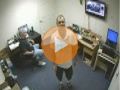
CCTV Camera Pros testing of the DPRO-9620 dome infrared camera in day, night, and infrared modes.
Video Playback Instructions
For the best viewing experience, start playing the video, then select the highest video quality setting by clicking on the video settings button on the bottom of the video player.
Video Transcript
CCTV Camera Pros created this video to demonstrate the day, night, and infrared capability of the DPRO-9620VF infrared dome security camera. When the lights are turned off in the office the camera turns to low light mode and remains in color. There is enough ambient light being cast from the computer monitors in the room for the camera not to turn on its infrared LEDs and switch to black and white. When we switch the lights back on you can see the camera quickly adjusts for the full light in the room and switches back to daytime mode.
We will switch the lights off again, then on again, to demonstrate this change to and from day and night modes. We will conduct one more test with the lights off. I will walk closer to the camera, which blocks some of the ambient light in the room and causes the camera to switch to infrared night mode. When the camera's in infrared mode you can see it turns to black and white. We switch the lights back on again and the camera switches back to daytime mode, the infrared LEDs turn off, and the camera switches back to full color.
We hope that this video helped demonstrate the day, night, and infrared capability of CCTV Camera Pro's DPRO-9620VF dome infrared security camera. For more information on this product, please visit
cctvcamerapros.com/9620vf. Thank you for watching.
Video Thumbnail
Author and Publisher
This video was produced by
Mike Haldas, co-founder and managing partner of CCTV Camera Pros. Questions about this video can be directed to [email protected].
Be First to know of our deals and promotions. Sign up for our mailing list: